What is ChromaLens?
ChromaLens is software for making faint hues or subtle color contrasts more visible. Software developer and photographer David Gordon originally created ChromaLens to assist in documenting indigenous pictographs and petroglyphs in the US Southwest.
Since the release of the mobile ChromaLens in January 2026, Gordon has been working on macOS version, ChromaLens Studio, as well as developing a visionOS prototype.
What is ChromaLens for iOS?
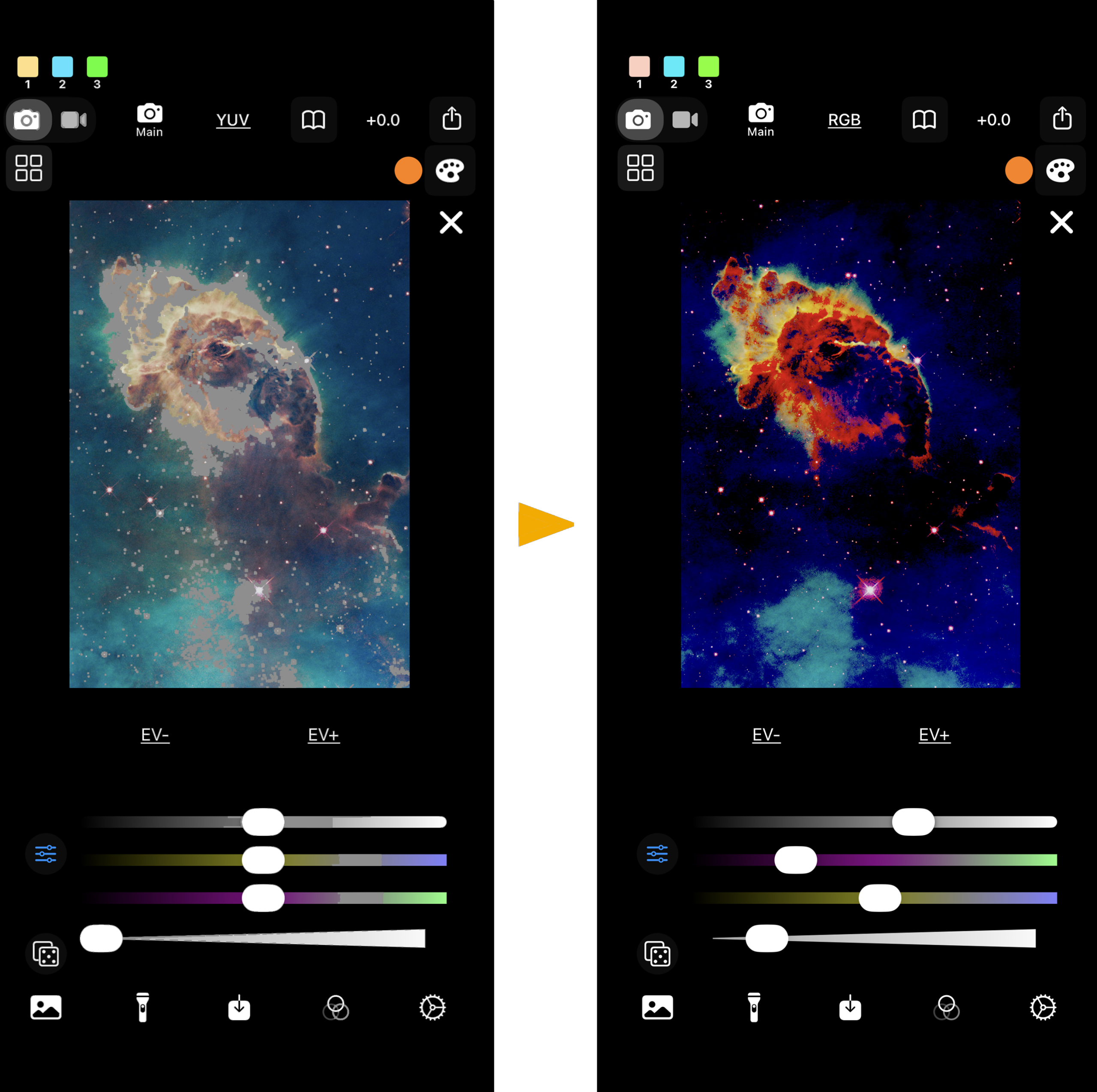
ChromaLens is a professional-grade camera app for iPhone and iPad that turns your camera into a real-time “magnifying glass” for color. Combining a clean and intuitive interface design with insights gained from experience in the field, it features live video processing, 4K recording, and high-resolution imaging.
Unlike traditional filters, its color transformations are driven by real-time statistical color analysis. Live video feed decorrelation stretch, along with built-in and custom Presets, saves time and effort, making the app ideal for demanding and time-intensive field work, such as documenting and surveying for rock art.
Beyond rock art documentation, it can be used for transforming colors in natural scenes, revealing subtle details in museum artworks, or remapping hues for experimental art and film projects.
What is ChromaLens Pro?
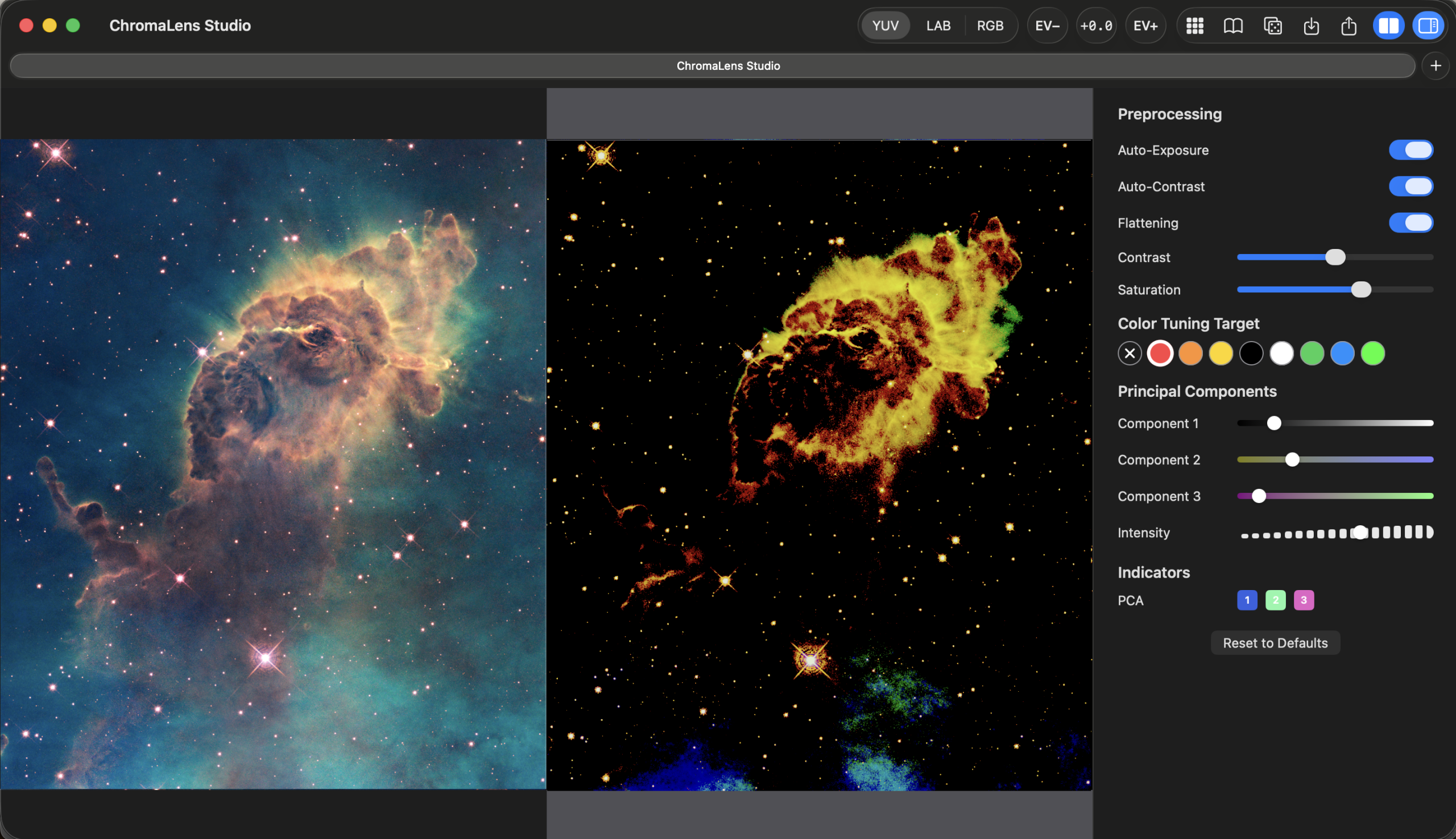
ChromaLens Pro is a powerful color enhancement app for macOS which offers even faster and more efficient workflows than the iOS versions.
With batch processing, side-by-side comparison, multi-window and tabbed setups, and support for tethering with DSLR cameras, it offers a wide range of tools for enhancing colors in individual images and videos, as well as working with large datasets.
ChromaLens Pro is planned for release in Summer 2026.
What Makes ChromaLens Different?
Jon Harman’s pioneering DStretch, as well as several other apps, such as the less well-known LabStretch, use decorrelation stretch for color enhancement in the field. ChromaLens relies on a reimplementation of this time-tested technique, which expands it to support live Video Mode processing.
Built-in Presets make ChromaLens’ multi-stage pipeline – featuring Color Adjustments and a system called Color Tuning for boosting specific hues before the color stretching – accessible to users of all experience levels. Its intuitive and camera-centric user interface is designed to have a similar feel to the Apple native camera.
Advanced features include User Presets for saving custom settings, a User Library for quickly accessing images, the ability to work with disk-loaded videos and multiple Color Spaces.
How Can I Get ChromaLens?
ChromaLens for iOS is currently available on the Apple App Store via this link.
An Android version of ChromaLens, featuring a similar user interface and features to the iOS version, is under development and will begin Beta testing in June 2026. Please contact us to request to become a Beta tester.
We offer ChromaLens licenses to any member of an indigenous tribe at no cost. Use the Contact form to request a free license.
Learn More