
How Does it Work?
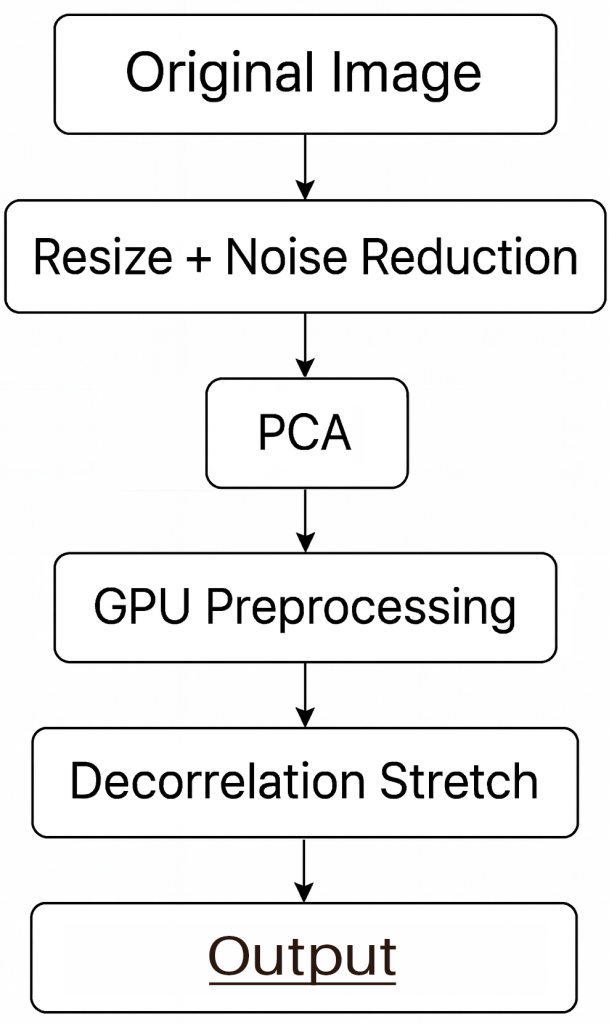
ChromaLens processes each frame in several stages. A resized version of the image is converted to a specific Color Space and then analyzed using principal component analysis (PCA) to identify the three main axes of color variation. These results then are applied via decorrelation stretch to the full-resolution pixels.
Color Sliders
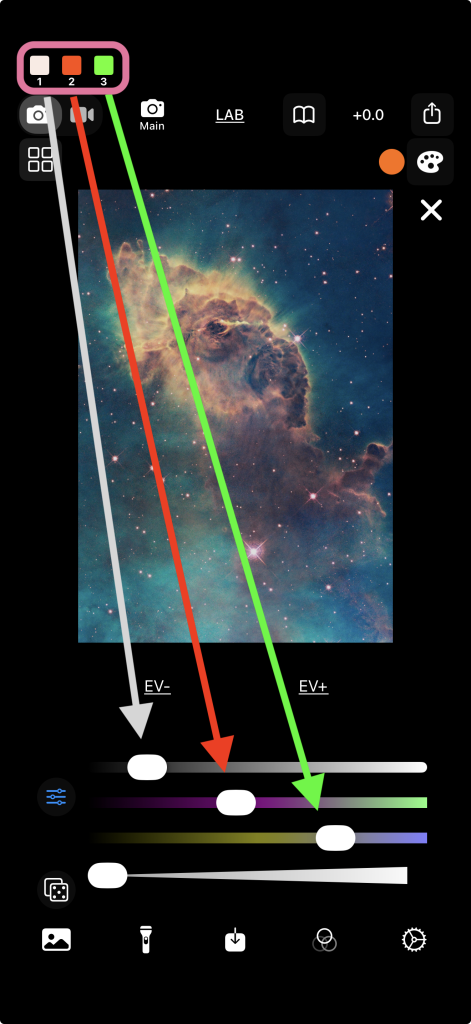
The PCA Indicators at the top left show the hues corresponding to each PCA component. The three Color Sliders let the user precisely control the amount that each component is amplified during the decorrelation stretch stage.
The top Color Slider corresponds to the PCA axis capturing the most color variation. The second and third adjust the other two axes, which represent progressively smaller amounts of variation.
Learn More